


-

Low Starting Quantity
-

Digital Proof Included
-

Design Support Available
-
In-House Production
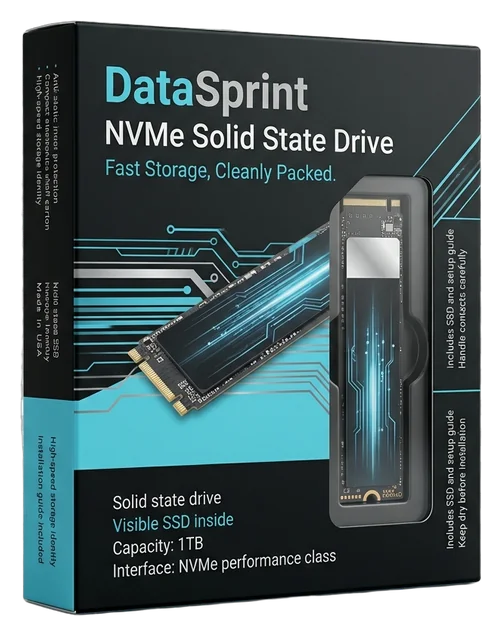
Give every SSD a box that communicates technical confidence at first sight, keeps the product range easy to recognize and makes opening feel organized rather than improvised. SSDs often compete in a crowded market where capacity, compatibility, performance positioning and brand trust must be understood through a compact package. Custom SSD boxes turn that limited space into a clear product introduction. Coordinated colors, structured information, defined model cues and a box fitted around the drive and its accessories help customers recognize what they are buying. That value can remain visible on a retail shelf, in product photography, during a sales presentation or when an online order is opened. We build SSD packaging around the impression your product should create, whether that is streamlined and technical, performance-led, enterprise-ready or designed for a higher-value launch. Our team helps connect the structure, print and interior arrangement so the finished box feels like a planned part of the product rather than an outer container added at the end. That result can be supported through product-specific sizing, paperboard or rigid structures, exterior and interior printing, controlled finishes, die-cut or foam inserts, accessory compartments and a considered opening sequence. Free dieline and artwork support help prepare the design for production, while digital proofing provides a clear approval stage before printing. Printing, laminations, finishes, die work and rigid-box production are handled through an in-house setup for stronger coordination across the job.

Get Custom Quote
STRUCTURES FOR EVERY SSD MOMENT
Choose a Box That Fits the Product and the Sale
An SSD sold on a retail shelf needs a different type of access, information display and product arrangement from one presented in a launch kit or shipped directly to a customer. The right structure depends on the drive format, protective primary packaging, included accessories, selling channel and the order in which each component should be discovered. These routes provide practical starting points for building packaging that keeps the product identifiable, supports an orderly fit and gives the brand a consistent presence from the closed box through the first reveal.
➜
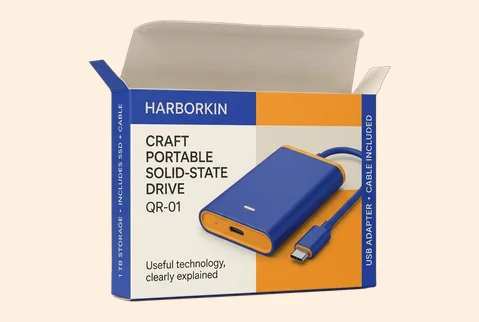
Compact Folding Cartons
A streamlined folding carton gives individual SSD products a clear branded face without adding unnecessary bulk. It can be sized around the drive, its protective wrap and the information customers need to compare the model confidently.
- Compact single-drive configuration
- Fitted paperboard support
- Full-panel branded printing
- Retail and online suitability
The result is an efficient pack that keeps the product line clear, credible and easy to recognize.
Customize Now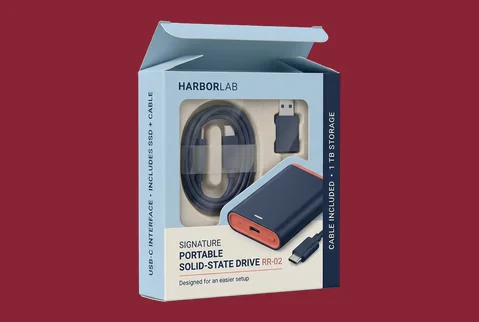
➜
Windowed Product Cartons
A die-cut window can reveal a selected product, label or internal component while the surrounding panels carry model and brand information. The opening should be planned around the SSD’s approved protective packaging and handling requirements.
- Controlled product visibility
- Custom window shape
- Printed model identification
- Retail-focused product access
This route connects immediate product recognition with a more structured and branded retail presentation.
Customize Now
➜
Drawer Boxes with Inserts
A sliding drawer creates a deliberate reveal while giving the SSD and related items defined positions. It works well when the opening experience should feel more considered than a standard end-opening carton.
- Slide-out product reveal
- Foam or board insert
- Inside-and-outside printing
- Launch and gifting use
The controlled movement and fitted interior help the product feel organized, substantial and intentionally introduced.
Customize Now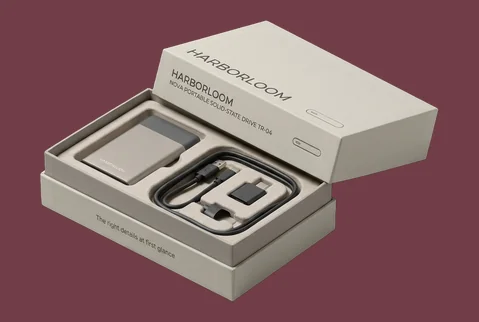
➜
Two-Piece Presentation Boxes
A separate lid and base give the SSD greater visual presence and provide a broad surface for launch graphics, enterprise branding or product-family identification. Inserts can hold the drive above supporting literature or accessories.
- Lid-and-base configuration
- Layered interior arrangement
- Large branding surfaces
- Presentation-led opening
This structure turns a compact electronics product into a more complete and confidently presented package.
Customize Now
➜
Magnetic Rigid SSD Boxes
A magnetic rigid box suits premium product launches, reviewer kits, executive gifting and higher-value storage bundles. The firm structure and controlled closure can support a more substantial handoff and opening experience.
- Firm rigid construction
- Magnetic closing action
- Premium wrap and print
- Reusable presentation format
The finished pack gives the product greater physical presence while keeping the brand visible through repeated handling.
Customize Now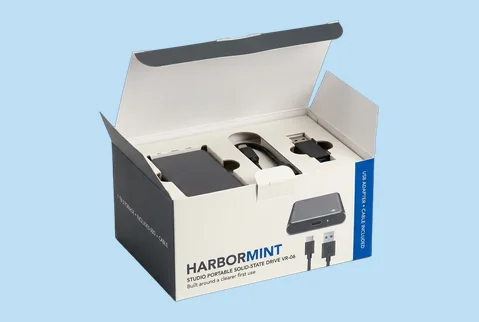
➜
Accessory Bundle Boxes
An SSD packaged with a cable, adapter, mounting component, guide or other accessory needs more than a larger empty carton. A planned insert can separate each item while keeping the full kit understandable.
- Multi-component kit layout
- Dedicated accessory spaces
- Clear printed navigation
- Guided product discovery
The customer receives a complete bundle that feels ordered, easier to inspect and ready to use.
Customize Now
➜
Corrugated Mailer Kits
A printed corrugated mailer can carry the brand into e-commerce delivery, media outreach or business-to-business sample programs. Internal fitments help prevent the product and printed materials from appearing loose when the box opens.
- Mailer-style construction
- Fitted internal arrangement
- Branded exterior and interior
- Direct-delivery presentation
This route makes the delivery package part of the product introduction rather than an unbranded shipping afterthought.
Customize Now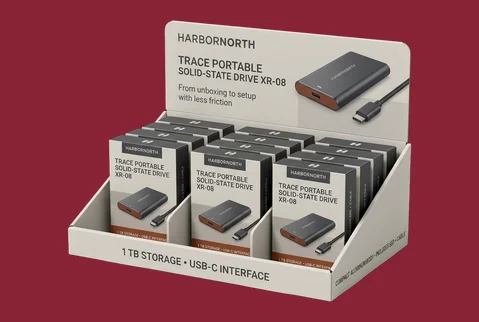
➜
Counter Display Packs
Counter displays can organize several individually packed SSDs while keeping model choices visible and accessible. Printed display surfaces help the parent brand remain clear across capacities, series or performance levels.
- Multi-unit retail display
- Ordered product-facing layout
- Coordinated range branding
- Point-of-sale suitability
The display helps customers navigate the range while giving retailers a cleaner and more consistent product presentation.
Customize NowMATERIALS THAT SIGNAL CONFIDENCE
Give the SSD Package the Right Physical Character
The material shapes how customers interpret an SSD box before they read its specifications. Smooth paperboard can give model graphics, technical icons and small information panels cleaner definition. Kraft can support a more practical, engineering-led or naturally understated identity. Rigid greyboard adds weight and physical presence to launch kits, enterprise gifts and higher-value bundles. Corrugated board can carry the brand into direct delivery or presentation mailers without making the opening feel disconnected from the product. The best choice is not simply the thickest option; it is the material that supports the product’s selling channel, intended price position and expected handling experience.
SBS Paperboard for Clean Technical Definition

Smooth paperboard supports sharp graphics, controlled brand colors and clearly arranged product information. It is well suited to compact retail cartons where the package must communicate the SSD series, capacity and distinguishing features without feeling visually crowded.Its clean surface helps a technical product appear precise and professionally resolved.

Kraft for an Understated Product Identity

Kraft can give SSD packaging a more practical, direct or engineering-influenced character. White ink, darker graphics and selective color can create contrast while allowing the material itself to remain visible.This works best when the natural surface is part of the intended brand identity rather than a substitute for a developed design.
Rigid Greyboard for Greater Product Presence

Rigid greyboard creates a more substantial package for launch editions, enterprise presentations, reviewer kits and SSD bundles with several components. Wrapped surfaces can be printed, textured or finished to support a more deliberate handoff.The added substance helps the package communicate that the product has been prepared as a complete experience.
Corrugated Board for Branded Delivery

Corrugated board is useful for mailer, kit and direct-delivery formats that need more structural character than a folding carton. Exterior and interior printing can keep the presentation connected from arrival through opening.The result is a delivery-ready package that still feels specific to the SSD brand and product program.

MODEL, CAPACITY & BRAND IN VIEW
Make Every SSD Variant Easy to Recognize
Customers may need to distinguish an SSD by product family, capacity, interface, use case or performance tier before they handle the drive itself. Custom printing turns those cues into a clear visual system instead of scattering them across unrelated panels. Give each model enough distinction to be found quickly, while repeating the parent brand’s colors, typography and layout so the complete range remains connected. Full-color, CMYK, PMS and digital or offset printing can support detailed product graphics, while white ink on kraft and relevant inside printing create additional design routes. The objective is not to fill every surface; it is to help customers understand the product and remember who made it.
- Separate capacities without losing brand continuity
- Make model families easier to scan
- Keep technical cues clearly ordered
- Carry artwork beyond the front panel
- Continue selected brand details inside
- Build launch editions around one system
SURFACES WITH A TECHNICAL PURPOSE
Control What Customers Notice and Feel First
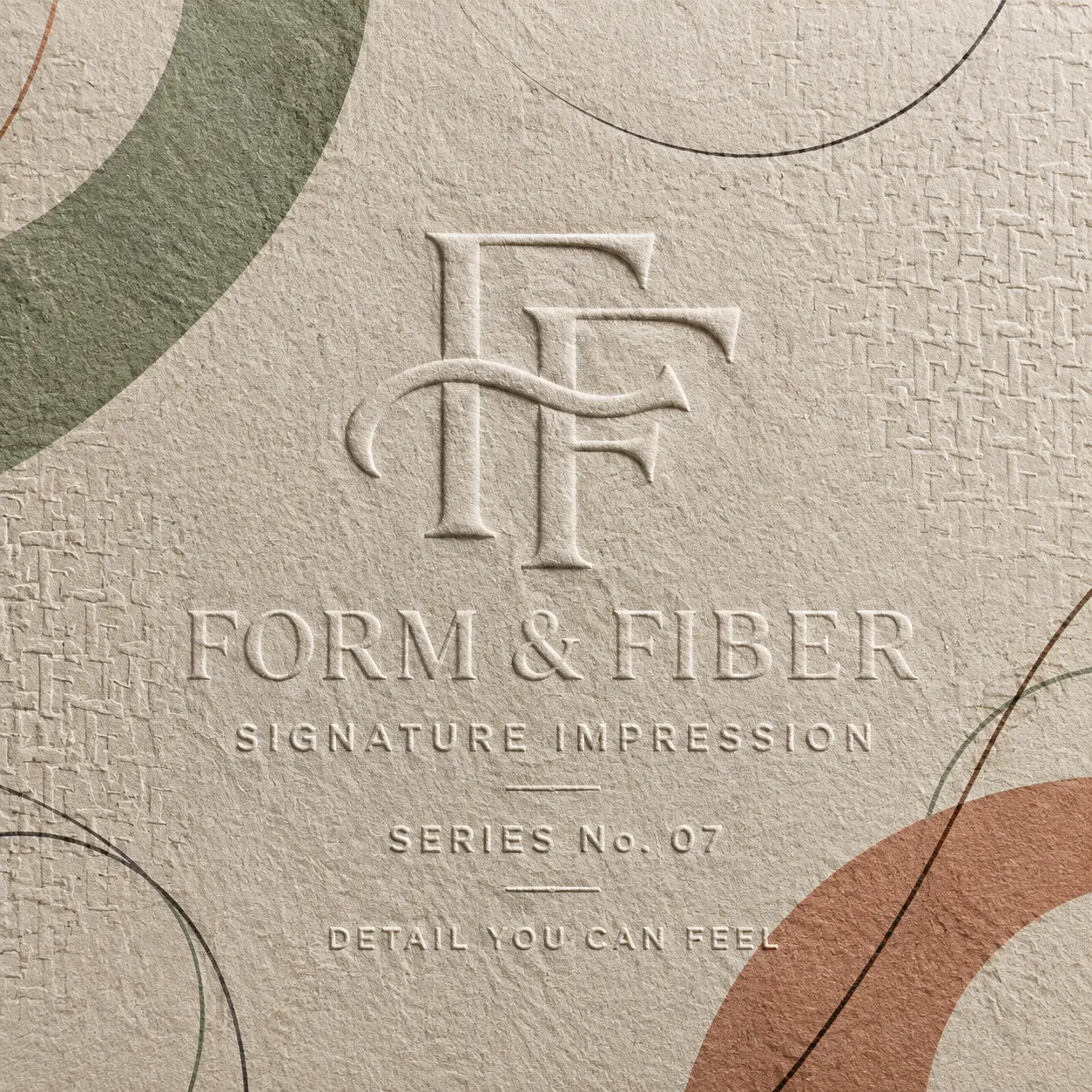
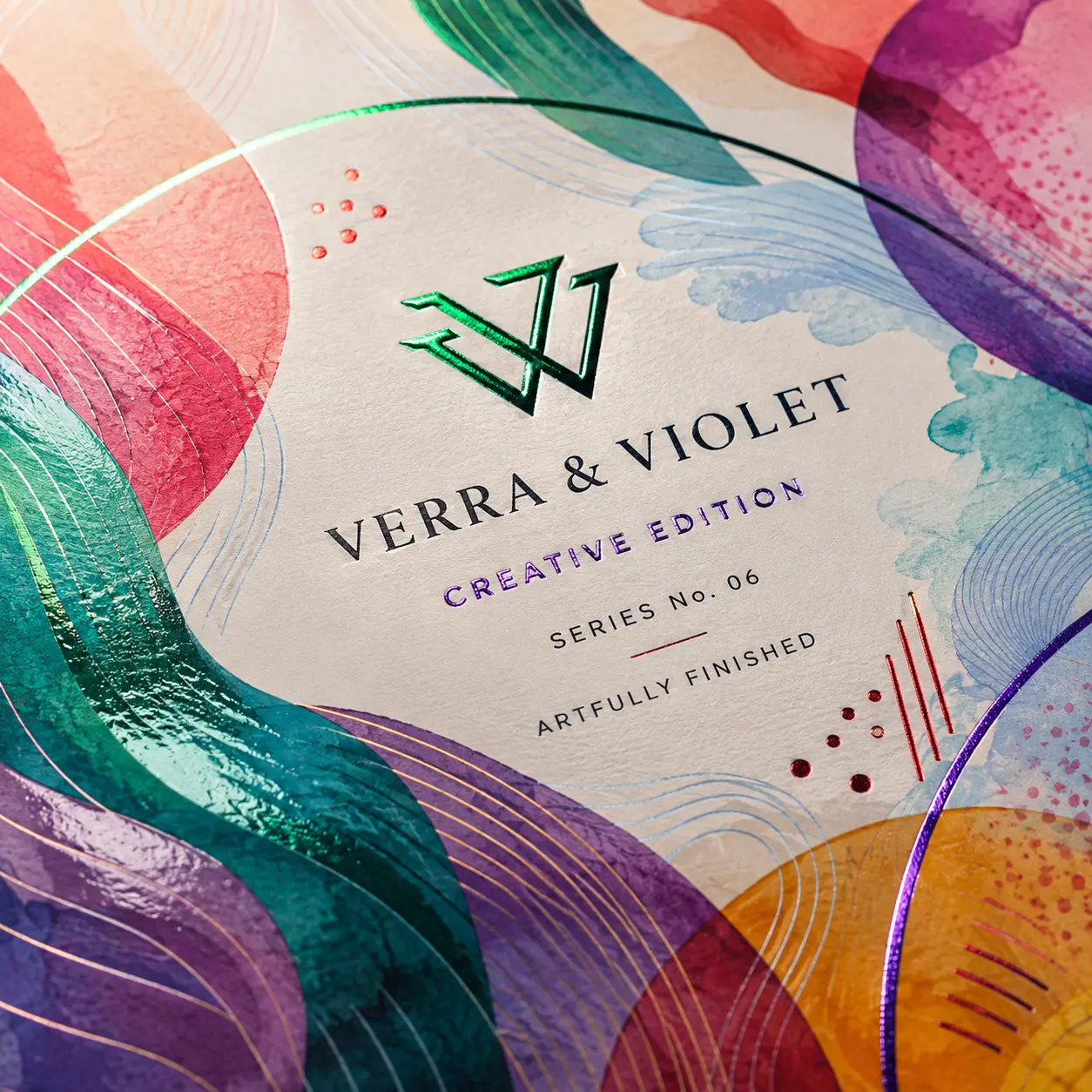
An SSD box can contain accurate information and still feel unclear when every graphic, specification and finish competes for attention. Finishing should establish an order. The overall surface can communicate precision, energy or understated confidence. A selected effect can direct attention to the brand, product series or one important model cue. A limited edition can feel distinct without becoming visually unrelated to the core range. Matte, gloss, soft-touch, spot UV, foil, embossing, debossing and raised effects should therefore be selected for the role they perform, not simply because they are available.
-
 Establish the Overall Product Mood
Matte or soft-touch lamination can give professional, enterprise or higher-value SSD lines a calmer surface character. Gloss can support brighter performance graphics, strong product renders and more energetic retail artwork where greater visual contrast is appropriate.The finish should reinforce the way the product is positioned.
-
Direct Attention to the Right Cue
Spot UV, foil, embossing, debossing or raised effects can give the logo, series name or selected technical cue greater visual and tactile importance. Applying the effect selectively helps customers understand where to look first.The purpose is to create hierarchy, not surface decoration without direction.
-
Distinguish Launches and Special Editions
A launch model, gaming collaboration, creator edition or enterprise gift can use a controlled finish contrast to separate it from the standard line. The underlying typography, colors and panel structure can remain consistent with the parent brand.This creates occasion value while protecting range recognition.

KEEP THE EXPERIENCE CONNECTED
Turn Opening Into a Clear Introduction to the SSD
The exterior may establish technical confidence, but a loose drive, tangled cable or hidden guide can weaken that impression as soon as the box opens. A useful SSD unboxing sequence helps the customer identify the main product first, understand what else is included and remove each component without disrupting the arrangement. Printed internal surfaces can continue the visual system, while paperboard, corrugated or foam inserts can give the drive, cable, adapter and literature defined positions. The result is not theatrical packaging for its own sake. It is a more orderly product introduction that makes the bundle easier to understand and keeps the brand present through the moment the customer begins using it.
-
Keep the Brand Present After Opening
Carry selected colors, diagrams or concise messaging onto the inside lid, drawer or internal panels. This prevents the visual identity from ending at the exterior and creates a smoother transition into the product.
-
Give Every Component a Clear Place
Use fitted inserts, dividers or layered compartments to separate the SSD from cables, adapters, guides and other components. The arrangement should make the contents easier to identify without creating unnecessary removal steps.
-
Control the First Product Reveal
Plan what becomes visible when the lid lifts or drawer opens. Presenting the SSD first, followed by accessories or setup information, can give the customer a clearer and more deliberate route through the pack.


EXPERT-GUIDED SSD PACKAGING
SSD Packaging Customization Made Easy & Fast — Built to Fit, Protect & Identify
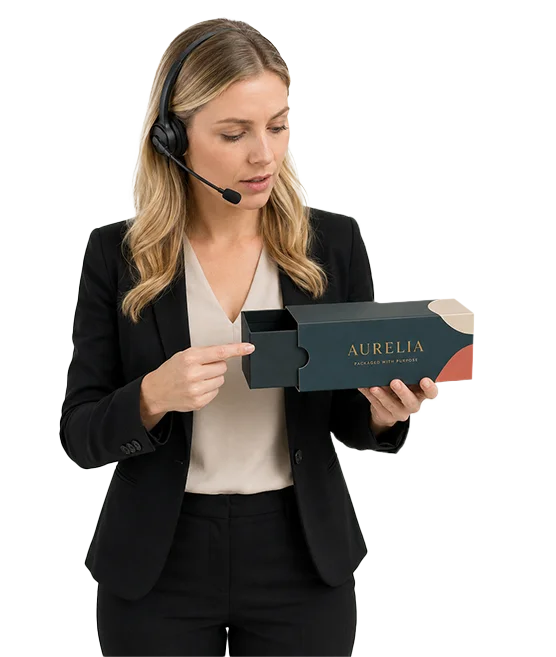
Our SSD packaging experts, structural designers, print specialists, consultants, and project managers make custom ordering easy and fast by bringing your drive dimensions, form factor, housing or PCB profile, connector position, packed weight, accessory set, selected box style, artwork, and brand direction into one production-ready structure. We guide SATA, M.2 edge-connector, U.2, U.3, USB, Thunderbolt-style, and PCIe card clearance; exposed component, heatsink, thermal-pad, label, screw, adapter, enclosure, cable, and manual compartments; insert tolerance; anti-static bag allowance where specified; board strength; closure behavior; coating and finish compatibility; capacity, interface, generation, model, barcode, QR, serial-label, installation, and customer-provided technical-panel spacing; dieline alignment; bleed and safe-zone setup; cost calculation; timeline planning; prepress preparation; and 3D proof review. The result is organized SSD packaging that supports retail or ecommerce handling, simplifies variant identification, and moves to production with fewer sizing, print, structure, or approval risks.
-
Fast
Specs-to-Quote Alignment
Experts align SSD dimensions, form factor, interface, capacity variants, accessories, selected structure, inserts, artwork, labels, cost, timeline, prepress setup, and 3D proof early—helping reduce quote delays and approval corrections.
-
Exact
Drive-Fit & Accessory Layout Review
We check 2.5-inch housings, M.2 boards, U.2/U.3 drives, portable enclosures, PCIe cards, connectors, heatsinks, cables, adapters, screws, thermal pads, manuals, and insert tolerances so every component has a practical position.
-
Protected
Connector, PCB & Handling Check
Packaging specialists review connector clearance, PCB support zones, housing and heatsink separation, small-part retention, board strength, closure behavior, anti-static packout allowance, and internal movement control for retail, warehouse, installer, and ecommerce handling.
Plan an SSD Box That Is Ready for Production
A strong SSD box begins with practical decisions about the product, protective components, selling channel and artwork—not with a generic structure selected from appearance alone. Our packaging team can help translate those inputs into a dieline, material route and production specification that supports the intended brand impression while remaining realistic to manufacture. The following planning steps help reduce fit problems, unclear information and late artwork changes
-
Start With the Complete Pack Configuration
Measure and plan around everything that will be placed inside the box. The relevant inputs may include the SSD form factor, any anti-static bag or protective primary wrap, the number of drives per box, cables, adapters, mounting parts, quick-start material and warranty or support literature.Do not use the product’s published dimensions as the finished box dimensions. The structure may also need space for an insert, board folds, protective components and practical removal clearance. Irregular accessories should be considered in their actual packed positions rather than estimated as a single combined volume.Where product-specific electrostatic protection is required, the custom printed box should be designed around the approved protective component. It should not automatically be treated as a replacement for an anti-static bag or other technical protection specified for the SSD.
-
Organize Information Before Styling the Artwork
An SSD package may need to carry a model name, capacity, compatibility information, product identifiers, barcodes, support details, warranty language or other buyer-supplied information. Decide which information must be understood first, which belongs on a comparison panel and which can move to the back or side.Create a hierarchy before applying finishes. The brand and product family should remain recognizable, while technical details should be legible and logically grouped. Any legally required, regulated or product-specific information remains the buyer’s responsibility, although the artwork team can help position supplied content within the approved dieline.
-
Prepare the Dieline, Artwork and Approval Files
Free dieline and template support are available for custom SSD box projects. The team can check artwork, resize supplied layouts for confirmed dimensions and help with bleed, safe zones and panel placement. Accepted production files include AI, PDF, PSD and EPS.A digital proof is available for every approved order. Use it to check panel orientation, text, graphics, colors, model details and the relationship between exterior and interior printing. A digital proof confirms the approved production artwork; it is not a physical sample. Printing begins only after payment, final artwork approval and structure confirmation.Design support is available for preparing the packaging artwork, but buyers should still provide accurate product information, required marks and the brand assets that must appear.
-
Select Material, Quantity and Customization Scope
Paperboard, cardstock, kraft and supported corrugated SSD box orders may begin from 50 boxes. Supported rigid SSD boxes may begin from 25 boxes, including relevant rigid styles with fitted inserts.Starting with a lower quantity does not automatically remove meaningful customization. Custom sizing, exterior and interior printing, material selection, finishes and inserts can remain available where they suit the chosen structure and approved production specification.Paperboard options can be considered within the supported 14 pt to 24 pt range. Rigid greyboard, kraft and corrugated materials provide additional routes when the required physical character or configuration calls for them.Per-unit pricing generally improves as quantity rises, with more visible differences often appearing around 500 units. No fixed saving percentage should be assumed until the structure, material, print coverage, finishes and quantity have been quoted. Supported jobs are produced without a separate die or plate fee.
-
Confirm Production, Prototype and Delivery Planning
Production normally takes 4–6 business days after payment, final artwork approval and structure confirmation. Production-ready jobs are generally planned to print and ship within 7 business days. Shipping transit time is separate, while complex multi-design orders may require a separately confirmed schedule.A physical prototype may be available for a qualifying bulk or wholesale project. Where approved, its cost may be adjusted into the resulting order. This is different from the digital proof supplied for approved orders and should not be presented as an unrestricted free sample.Bulk SSD packaging programs can be planned for multiple designs or model variants. Orders can also be shipped to multiple addresses, and production support is available for design firms and approved white-label workflows. Confirm variant counts, destination requirements and packing instructions before the production schedule is finalized.A well-prepared order should therefore include the confirmed product configuration, intended selling channel, selected structure, approved dieline, final artwork, quantity by variant and any special packing or distribution instructions.

SSD PACKAGING QUESTIONS
Answers Before You Size, Print and Order
Yes. The box can be planned around an individual SSD, a drive in its protective primary packaging or a kit containing cables, adapters, mounting components and printed instructions. We use the complete packed configuration to determine the structure and internal arrangement. Provide the product dimensions, protective wrap, accessory list and intended item positions so the dieline and insert can be developed around what the customer will actually receive.
No—not automatically. A custom printed SSD box provides the branded outer structure, product information and opening experience, but it should be planned around any anti-static bag, tray or other protective component required by the product specification. Our team can size the box and insert around that approved component. The buyer or product manufacturer should confirm the electrostatic and technical protection required for the drive before the packaging structure is approved.
Yes. Paperboard, cardstock, corrugated and die-cut foam inserts can be developed around the drive and its supporting components. The layout can present the SSD first, keep accessories in defined positions and place printed instructions where they are easy to find. Insert selection depends on the product configuration, box style and intended presentation. Exact fit should be confirmed from product measurements or supplied samples rather than estimated from a general SSD category.
Yes. A coordinated packaging system can keep the parent brand consistent while using colors, model names, capacity markers or selected graphic areas to distinguish individual variants. The dieline may remain consistent when the packed product and structure are the same, while approved artwork changes identify each model. Multi-design orders should be planned early because a large number of short-run variants can require additional setup and a separately confirmed production schedule.
Several routes are available, and the best one depends on where the package creates value. Folding cartons and display packs are useful for compact retail presentation. Fitted cartons or branded corrugated mailers can support direct delivery. Drawer, two-piece and magnetic rigid boxes provide a more controlled reveal for launches, reviewer kits and business presentations. Our team can recommend a route after reviewing the product configuration, channel, quantity and intended opening sequence.
Yes. A growing SSD brand can begin with packaging built around its own product and visual identity without committing to an unnecessarily large first run. Paperboard, cardstock, kraft and supported corrugated formats may start from 50 boxes, while supported rigid formats may start from 25. Relevant custom sizing, exterior or interior printing, finishes and inserts remain available where they suit the approved structure and production specification.
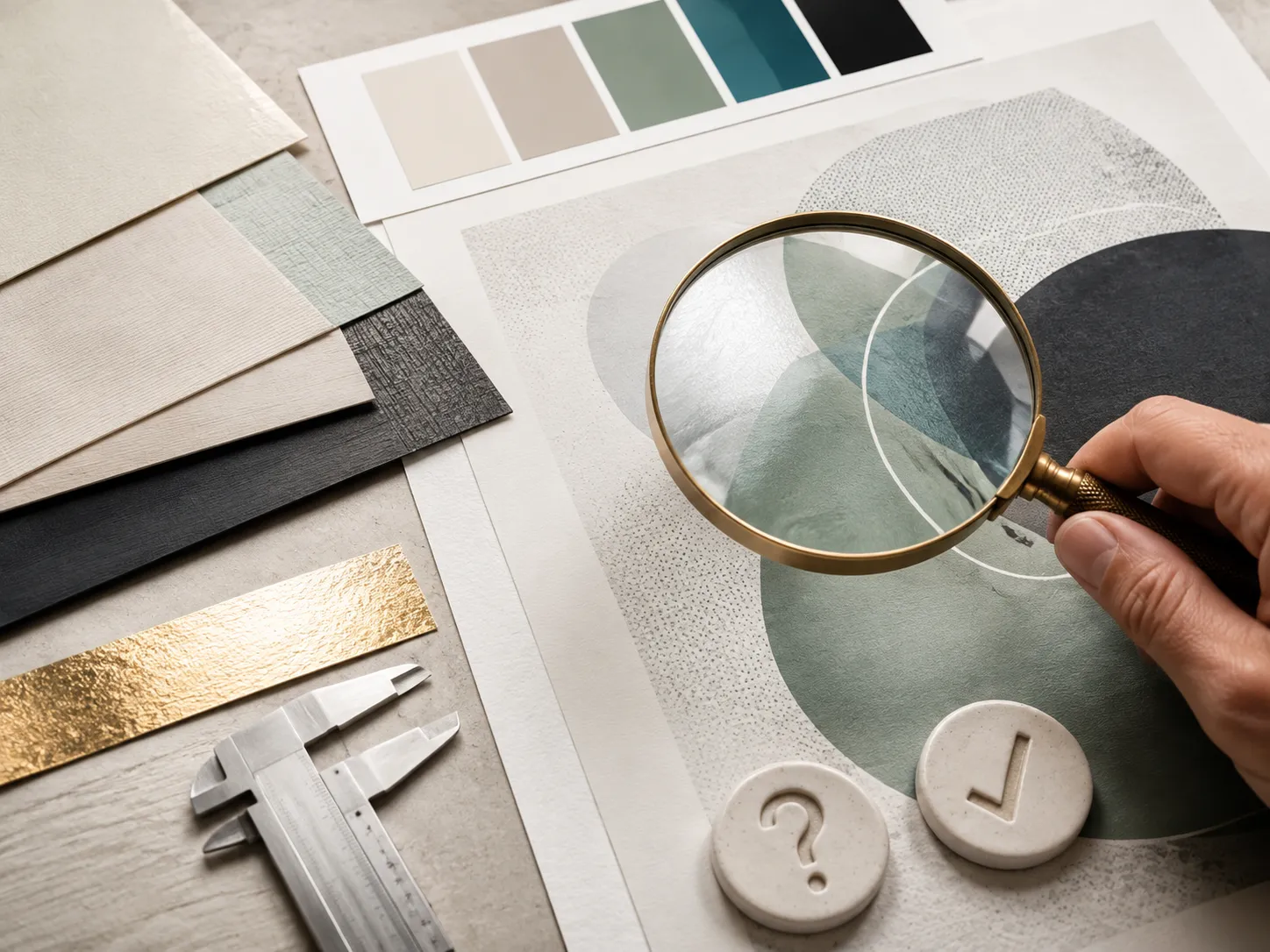
A digital proof is available for every approved order so you can review the artwork, panel placement, model information, print coverage and structure before production. Free dieline and artwork support are also available, including help with resizing, bleed and safe zones. For a qualifying bulk or wholesale project, a physical prototype may be available, and its approved cost may be adjusted into the resulting order. A physical prototype is not an unrestricted free sample.
Production normally takes 4–6 business days after payment, final artwork approval and structure confirmation. Production-ready jobs are generally planned to print and ship within 7 business days. Shipping transit time is separate. Orders containing many short-run designs, complex inserts or additional setup requirements may need a separately confirmed schedule. Where that applies, the timing should be agreed before the job moves into production.
CUSTOMER SUCCESS STORIES
Hear What Our Customers Say
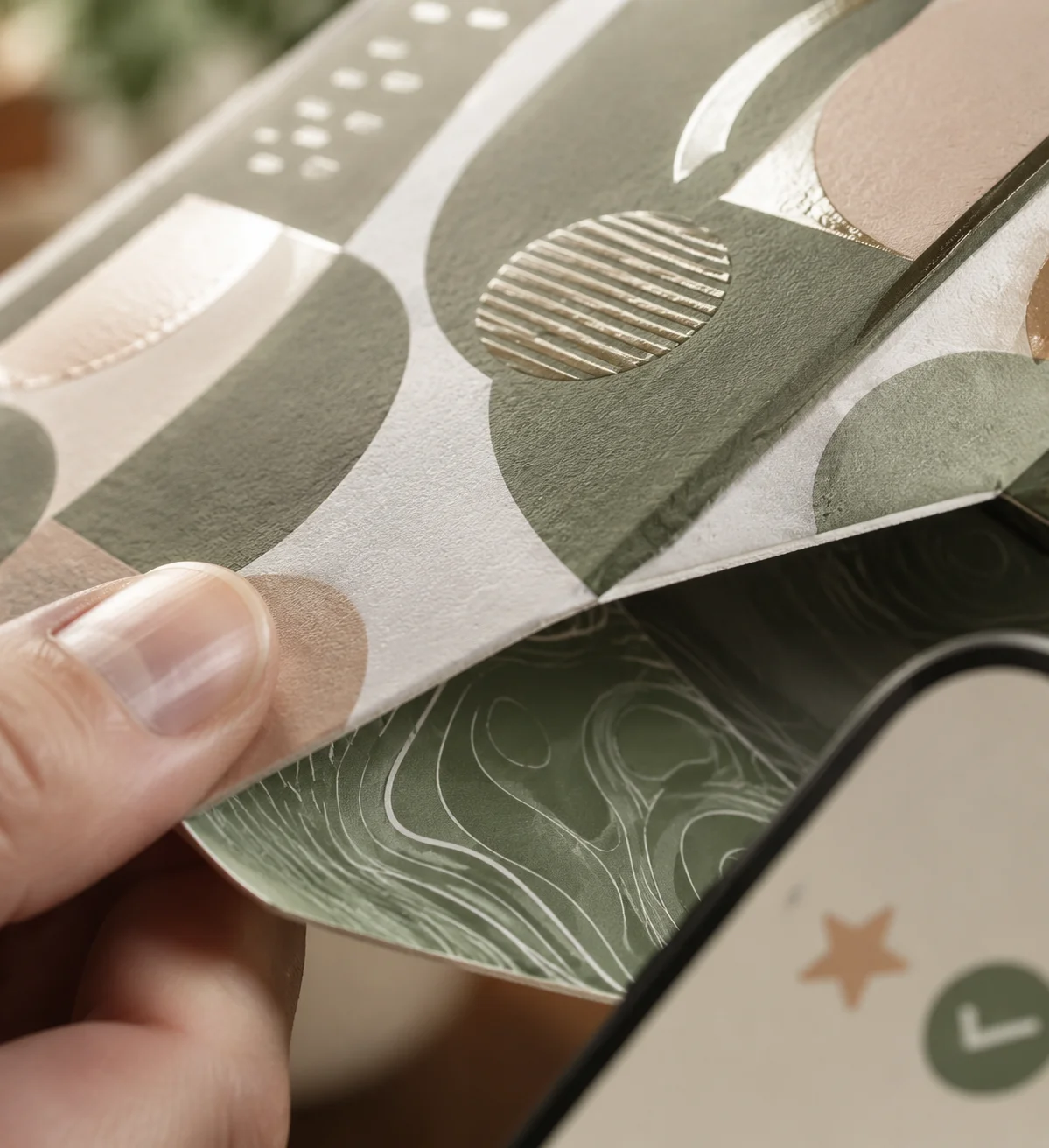

As a small business, finding premium finishes in lower quantities was always difficult. Global Custom Packaging gave us the freedom to customize our boxes and create the distinctive, polished look we wanted without committing to a large order. We still work with them today and have expanded into multiple product variants, each with the same impressive presentation.
Jordan Blake
We sell online and in stores while regularly promoting at major events, running influencer campaigns, and launching seasonal collections. Thunder Packaging has become our dependable source for everything—from premium mailer and product boxes to sturdy influencer kits, rigid packaging, kraft boxes, and limited-edition Christmas designs. Whatever structure, material, or branded look we need, we no longer have to go anywhere else.
Avery Quinn

I never worry about how my packaging will look or whether my artwork contains typos, incorrect bleed areas, or other design errors. Their 3D previews and helpful design support give me confidence before printing. If the team notices a problem, they contact me, correct it quickly, and never charge extra for the assistance.
Cameron Reese
I’m really impressed with Global Custom Packaging’s precise, richly saturated printing and the accuracy of their die-cutting. The boxes were produced in exactly the right size, with a clean, well-formed structure and no fitting or construction issues. The finished packaging looked polished, consistent, and ready to represent our products professionally.
Morgan Taylor
I received my quote within a few hours, and once we agreed on the price, the designer responded quickly, completed the required changes, and prepared my artwork for printing. The 3D proof arrived promptly, allowing me to review everything and place my order that same day. My packaging was delivered on time, exactly as Global Custom Packaging had committed.
Harper Lane